






Warehouse Management Enhancing Warehouse Operations Efficiency with Microsoft Dynamics 365 Supply Chain Management

Essence of Warehouse Management
Warehouse management is a set of activities aimed at organizing and controlling all stages of handling items in a warehouse, including receipt, put away, storage, movement, and shipment. The goal of warehouse management is to ensure efficient warehouse operations, optimize storage space, maintain product quality, and reduce costs.
To achieve this, it is essential to maintain accurate records of all items so that every item entering the warehouse is registered and has a clearly defined storage location. This helps prevent errors such as stock shortages or overstocking. At the same time, easy and quick access to items is crucial for ensuring warehouse efficiency and timely order fulfillment.
Warehouse management also involves quality assessment and control throughout the entire storage period. Continuous monitoring allows for the timely identification of issues and minimizes risks related to product damage or loss.
Warehouse space allocation is another key component. Efficient space utilization not only optimizes warehouse capacity but also enhances internal items movement processes, improving overall operational efficiency.
Effective warehouse management requires careful planning and coordination of warehouse operations, including inventory tracking, organization of human and technical resources, and warehouse safety. These factors contribute to convenient and efficient inventory management, minimizing errors, and optimizing costs.
- Basic Management (Inventory Management)
- Advanced Management (Warehouse Management)
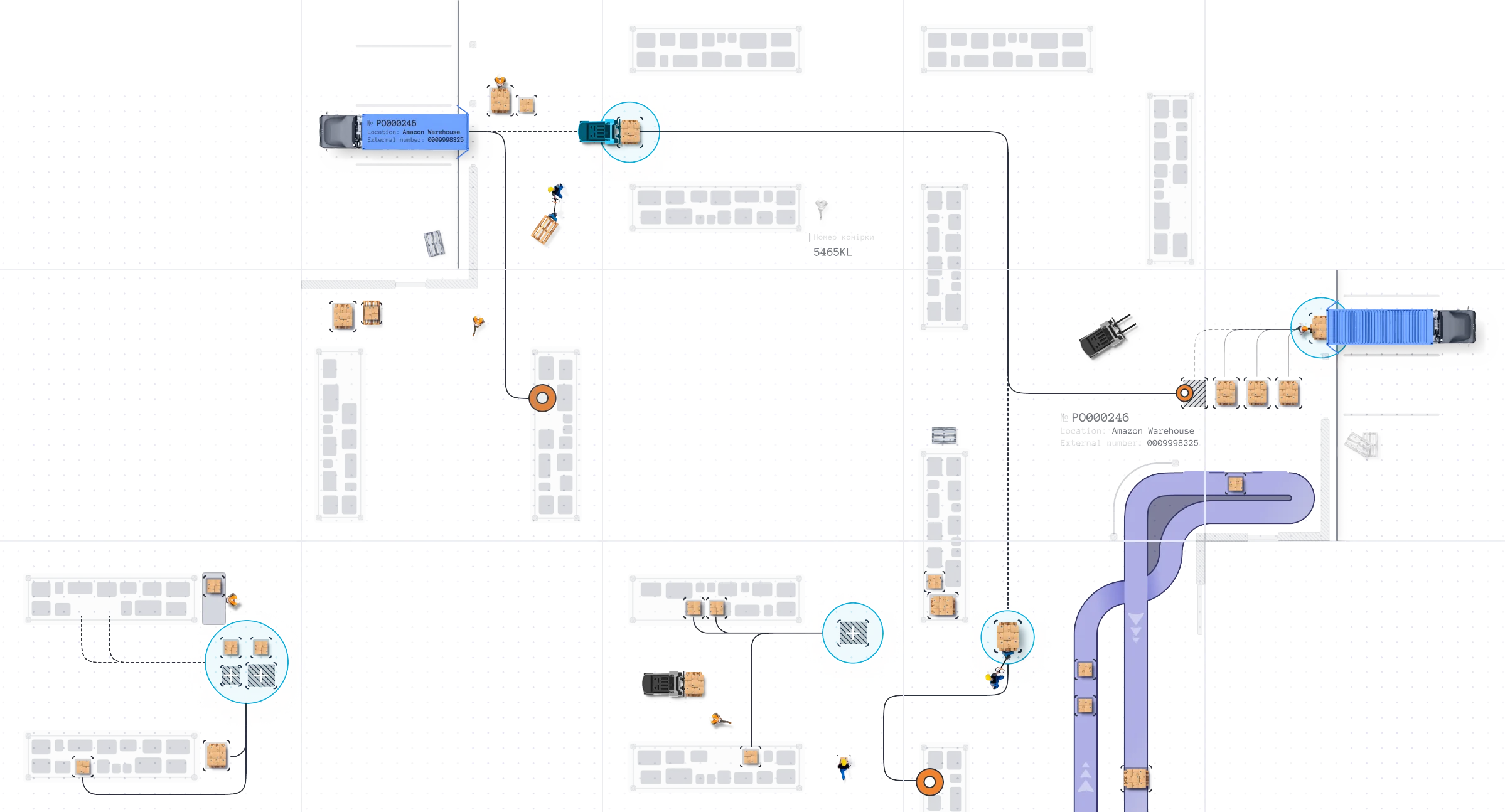
- Manual identification
- Recounting
- Defect detection
- Loading onto transport
- Document generation
- Simple (non-bin-based) storage of goods in the warehouse
- Manual distribution of items within the warehouse
- Items search
- Manual identification
- Picking execution

- Items search
- Manual identification
- Recounting execution
- Data transfer for system entry
- Data entry into the system

- Items search
- Manual identification
- Movement execution
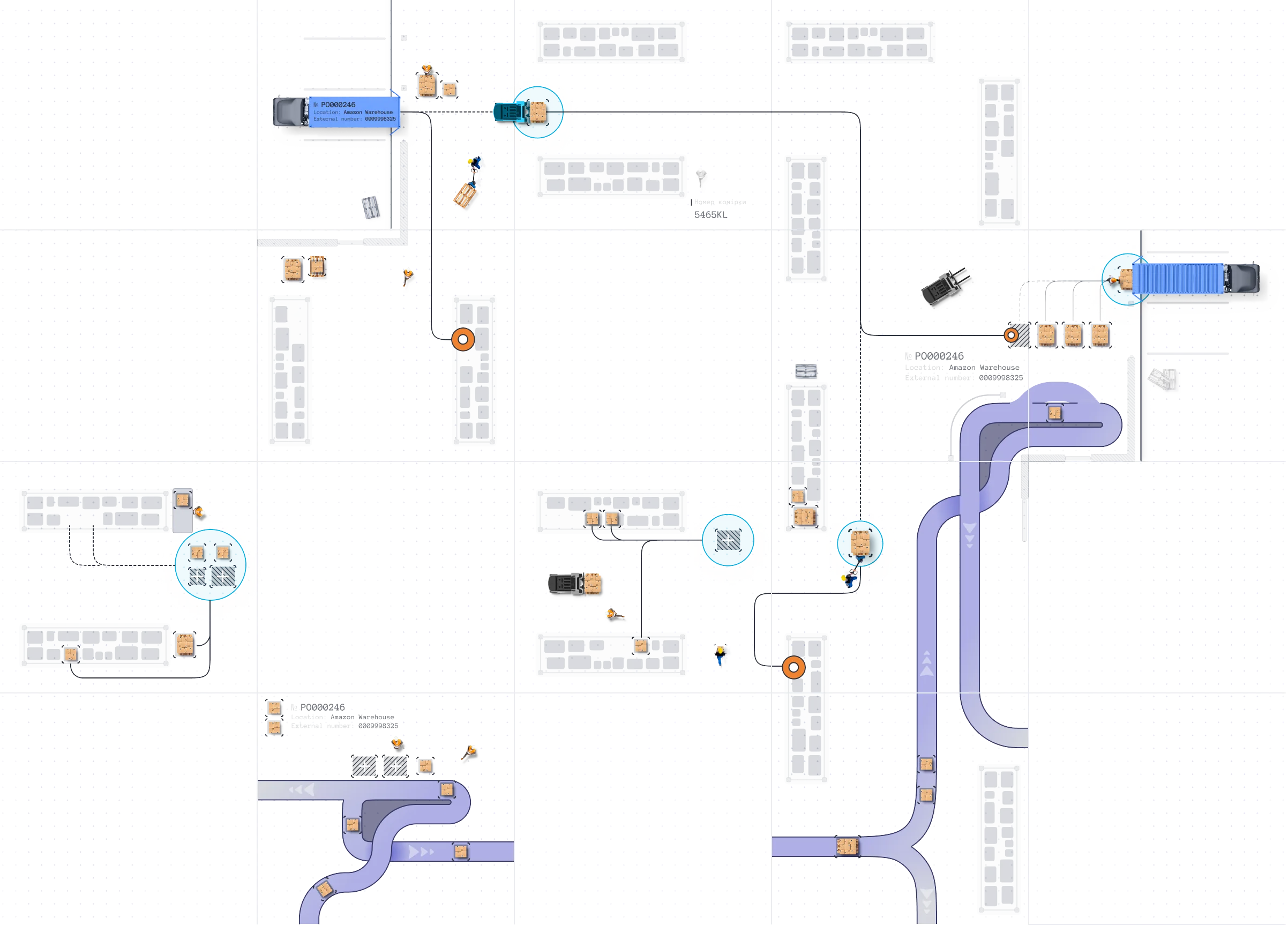
- Automated items identification
- Recounting
- Defect detection
- Items labeling
- Loading onto transport
- Document generation
- Automated identification of items and locations
- Location-based (bin) storage of items in the warehouse
- Automated distribution of items across warehouse zones and locations
- Execution of items put away operations
- Automated identification of items and locations
- Route optimization
- Execution of picking operations
- Execution of cross-docking operations
- Automated items identification
- Execution of quality control operations
- Automated identification of items and locations
- Execution of replenishment operations
- Automated items identification
- Selection of packaging units
- Execution of packaging operations
- Labeling

- Warehouse layout maintenance
- Ensuring automated location identification
- Operational management of warehouse locations

- Ensuring automated items identification
- Providing label printing and items labeling
- Automated and manual items search
- Automated identification
- Automated and manual creation and execution of warehouse movement works
- Cycle counting planning
- Manual and automated inventory cycle counting
- Automated items identification
- Execution of cycle counting operations (recounting and data entry via mobile application)
- Automated data entry into the system

- Support for warehouse operations execution
- Ensuring mobile execution of warehouse operations

- Printing equipment
- Other equipment
The Essence of Warehouse Management Automation
A key component of successful warehouse inventory management is the use of modern Warehouse Management System (WMS) software to optimize warehouse processes, improve inventory accuracy, reduce costs, and enhance other aspects of warehouse automation:
- Robotic process automation in warehouse operations
- Use of mobile device
- Label printing and product tagging
- Using of various types of barcodes
- Integration with other systems and diverse warehouse equipment
A Modern Warehouse Management System Should Enable the Following Warehouse Processes:




Overview of the Warehouse Management Module Within D365FO Apps
Capabilities of Software for Automating Warehouse Management Processes Within Dynamics 365 Supply Chain Management
Key management capabilities:
- Locations, their masks and types, zones, and zone groups.
- Weight and dimensional characteristics of locations.
- Mixing of warehouse stocks in locations (e.g., by product statuses, analytics, and batches).
- Parameters for replenishment and inventory of locations.
- Possible storage units of measurement in locations.
- Assigning multiple additional zones, a sorting code, and a control code to a location, enhancing the flexibility of warehouse operation rules.
- Interaction with the location (last activity date and inventory date of the location).
- Fixed storage locations.
- Accurate product accounting
- Efficient inventory management
- Optimization of warehouse processes
- Product safety
- Barcodes:
- Support for different types (UPC, EAN, Code 128, QR, GTIN, etc.).
- Barcode management by product analytics and units of measurement.
- Barcode generation and printing directly in the system.
- Mobile devices:
- Use of mobile device cameras and a mobile app for barcode scanning.
- Fast product identification during receiving, storage, and shipping processes.
- Receiving items based on:
- Purchase Order
- Production Order
- Transfer Order
- Return Sales Order
- Use of mobile devices for barcode scanning, quick item identification, and receipt registration
- Automatic and manual creation of put-away warehouse works during items receiving
- Receiving into a temporary receiving area or placing items in a permanent storage zone
- Use of routing codes for automatic determination of the storage area in the warehouse
- Real-time automatic updates of order statuses and warehouse inventory
- Accurate inventory tracking
- Flexible availability management
- Optimization of warehouse processes
- Flexible configuration of inventory statuses (e.g., available, defective, etc.)
- Automatic status assignment in warehouse logistics processes
- Status management at the warehouse, zone, and location levels
- Use of a mobile application to change inventory statuses
- Inventory status tracking
- Control over product availability for sales, transfers, or production
- Setting restrictions on inventory usage (e.g., blocking defective products)
- Flexible configuration of put away rules and their activation based on the item, its parameters, warehouse layout, customers, vendors, or other business conditions
- Automatic determination of available storage locations based on location availability and configured put away and storage rules
- Sorting locations and determining the optimal put away location according to configured rules and strategies
- Automatic creation of put away works
- Use of mobile devices to execute put away works
- Manual overriding of put away locations and automatic search for the optimal location based on configured rules
- Support for consolidated put away of items within a location
- Effective warehouse space management
- Optimization of logistical flows
- Planned movement
- Instant manual movement
- Use of mobile devices for internal movement works
- Consideration of storage restrictions and special conditions
- Items transfer tracking (all transfers are recorded in the system with a change history)
- Manual overriding of picking locations and automatic search for the optimal picking location based on configured rules
- Support for various replenishment types:
- Min-Max Replenishment
- Manual Replenishment
- Immediate Replenishment
- Load Demand Replenishment
- Wave Demand Replenishment
- Configuration of replenishment rules based on item parameters, characteristics, and warehouse structure
- Automatic and manual creation of replenishment works
- Use of mobile devices for replenishment works
- Configuration of picking strategies (FIFO, FEFO, LIFO, etc.)
- Automatic determination of picking locations based on available stock and configured rules
Key picking features:
- Configuration of picking rules based on item parameters and warehouse layout
- Flexible activation conditions for configured rules based on orders, products and their characteristics, customers, or business conditions
- Configuration of picking strategies (FIFO, FEFO, LIFO, etc.)
- Automatic determination of picking locations based on available stock and configured rules
- Sorting locations and determining the optimal picking location according to configured rules
- Manual overriding of picking locations and automatic search for the optimal location based on configured rules
- Automatic creation of picking works
- Optimization of picking routes considering layout, batches, serial numbers, etc.
- Support for simultaneous picking of multiple orders (Cluster Picking)
- Use of mobile devices for picking works
- Creation of packages considering product characteristics (weight, dimensions, quantity)
- Automatic determination of optimal packaging (boxes, pallets, etc.)
- Grouping of products into packaging units (boxes, pallets, etc.) based on orders
- Generation and printing of labels for packaging units
- Use of mobile devices for packaging verification (barcode, GTIN, etc.)
- Real-time tracking of packaging and shipping status
- Integration with carriers (FedEx, UPS, DHL, etc.)
- Support for packaging and shipping multiple orders simultaneously
- Automation of the shipping creation process
- Automatic and manual consolidation of shipments
- Support for different types of inventory:
- Full Physical Inventory
- Manual Cycle Counting
- Threshold Counting
- Planned Cycle Counting
- Spot Cycle Counting
- Cycle Counting during Work
- Automatic creation of periodic inventories for selected product groups or warehouse zones
- Automatic creation of warehouse works for location checks
- Support for configuring check frequency based on product importance (ABC method)
- Support for conducting inventory for specific serial numbers or product batches
- Automatic and manual confirmation or rejection of results
- Use of mobile devices for inventory
- Analytical data to review inventory results
Key features of the mobile application:
- Ability to configure workflows to meet warehouse needs
- Support for barcode and QR code scanning
- Real-time integration with the WMS system
- Creation and configuration of menus and submenus
- Setting up checkpoints to verify works execution in warehouse operations
- Support for various operating systems (Android, MacOS, Windows) and mobile devices (e.g., smartphones, tablets, specialized handheld divices)
- Support for different ways of assigning warehouse works to employees, including:
- User directed
- System directed
- User grouping
- System grouping
- Validated user directed
- Automation of quality control processes
- Guarantee of product compliance with standards, regulations, and requirements
- Reduction of costs associated with unsatisfactory product conditions
- Automatic and manual creation of quality check orders
- Integration of product quality checks with receiving, packaging, and shipping processes
- Use of control criteria for different product categories
- Registration of check results and subsequent actions (approval, return, write-off)
- Viewing of advanced analytics and reports on quality check results
- Moving items to a quarantine zone
- Flexible configuration of triggers to start quality control processes
- Flexible configuration of sampling rules for checks
- Configuration of cross-docking rules based on product parameters and characteristics
- Flexible activation conditions for configured rules based on orders, products, and their characteristics
- Supports various cross-docking scenarios:
- Pure Cross-docking
- Transshipment Cross-Docking
- Manufacturing Cross-Docking
- Opportunistic Cross-Docking
- Sorting of locations, automatic determination of product put away location based on configured cross-docking rules
- Automatic creation of cross-docking works during items receiving
- Use of mobile devices for barcode scanning of products and locations, quick identification of products and locations
Implementation Scenarios

D365FO Enhancement
Enhancing the existing Microsoft Dynamics 365 Finance and Operations Applications (Dynamics 365 Finance, Dynamics 365 Supply Chain Management, Dynamics 365 Human Resources, Dynamics 365 Commerce) with Warehouse Management functionality.

Migration to D365FO
Migrating from an old version of an ERP system to Microsoft Dynamics 365 Finance and Operations Applications by initially implementing the Warehouse Management module.

Strengthening the Existing IT Ecosystem
Expanding the capabilities of the current IT ecosystem with the Warehouse Management module, considering its easy implementation and seamless integration with the existing IT environment.
Warehouse Management Automation Impact on Performance Metrics

Data Accuracy
Enhanced data accuracy reduces the risk of errors associated with manual entry. Real-time warehouse information is ensured through integration with your company's IT infrastructure.
Mobility
Enables mobile execution of warehouse operations through the use of a dedicated mobile application.

Resource Efficiency
Improved utilization of warehouse resources helps optimize planning and execution of warehouse operations.

Decision-Making Quality
Provides quick access to accurate and up-to-date warehouse data, facilitating well-informed strategic decisions.

Productivity
Warehouse operations are optimized and accelerated, increasing overall efficiency.

Process Optimization
Eliminates duplicate efforts and enhances interdepartmental communication by automating warehouse processes as well as procurement, sales, and financial accounting workflows.
Key Features of the Warehouse Management Module for Optimized Warehouse Operations

Advanced Warehouse Architecture and Workflow Configuration
The module provides full control over storage volume limits in warehouse locations, along with flexible configuration of inbound and outbound material flow scenarios. This enables companies to tailor the system to their specific operational needs, optimizing storage space and reducing overall operational costs.

Batch, Serial, and Variable Weight Tracking
The module fully supports tracking batches, serial numbers, and variable weights for all warehouse operations. This is crucial for industries requiring precise traceability and quality control. Thus, the module ensures compliance with mandatory regulations and standards.

Seamless Online Integration with Other Modules
The module is fully integrated with other Microsoft D365 Supply Chain Management modules, supporting key processes such as transportation, manufacturing, quality control, procurement, sales, and returns. This integration ensures a smooth data flow and alignment between different functional departments, significantly enhancing overall operational efficiency.

Multiple Outbound Operation Strategies
The module supports various outbound operation strategies tailored to business needs, including wave picking, cluster picking, packing & containerization, slot replenishment, cross-docking, and more. These features help optimize outbound processes, increasing order fulfillment speed and accuracy.

Effective Warehouse Employee Management
The module includes tools for detailed tracking and analysis of employee workload and productivity. It allows for efficient planning and scheduling of work shifts to minimize labor costs.

Flexible Online Integration of External Equipment
Full support for a wide range of warehouse equipment, including modern mobile devices (WMS mobile app for Android, iOS, Windows), scanners (barcode reading GS1, QR codes, etc.), label printers (using solutions such as Zebra ZPL, NiceLabel, Bartender, etc.), and various material handling equipment (using the MHAX interface).

Support for Business Analytics
The module supports intelligent analysis of warehouse processes and integrates with Power BI, providing valuable insights into warehouse flows and operations. It helps make data-driven decisions, optimize processes, and improve overall productivity.

If you have any questions, you can request a consultation or receive additional materials
They trust us






About SMART business
SMART business — Your Microsoft Dynamics 365 Implementation Partner
We connect business processes and leverage Microsoft technologies and AI to help our customers succeed quickly and efficiently.
SMART business is a leading Microsoft partner in the development, implementation, and support of modern ERP, CRM, and HRM systems, as well as Microsoft cloud services and SMART solutions based on predictive analytics and machine learning.
Holding all six Microsoft Solutions Partner Designations, we apply best practices and the latest tools to accelerate the achievement of our customers’ strategic business goals.
• Extensive Microsoft Dynamics 365 Finance and Operations (formerly AX) ERP implementation expertise since 2008.
• Global reach: implementations and support in over 65 countries.
• ISO certifications: ISO 27001 (security), ISO 27701 (privacy), ISO 9001 (quality).
in the IT market
worldwide
by Microsoft
